

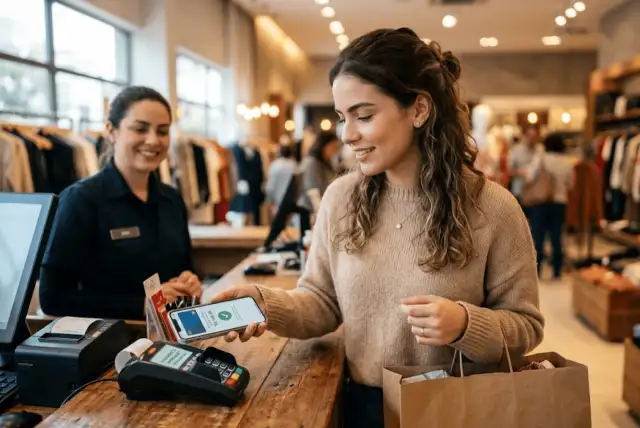
The Top Digital Wallets for In-Store Payments include Apple Pay, Google Wallet, and Samsung Wallet. All three let you make contactless purchases with compatible phones and cards, but the right choice largely depends on the device you already use.
Apple Pay is designed for Apple devices, Google Wallet serves compatible Android phones, and Samsung Wallet adds deeper integration for Galaxy users.
Digital wallets can make checkout faster while adding useful security features. Before replacing your physical card, though, it helps to understand how each option works and what your bank, card, and favorite stores support.
How do digital wallets work for in-store payments?
A digital wallet stores a digital version of an eligible credit or debit card on your smartphone or smartwatch.
At a compatible checkout terminal, Near Field Communication (NFC) allows your device to communicate with the payment reader at close range. Depending on your wallet and device, you authenticate using a fingerprint, facial recognition, PIN, passcode, or another security method.
A digital wallet does not replace the card issuer or payment network. If you add a Chase Visa card, for example, Chase still issues the card and Visa still provides the payment network.
That also means your bank, card, device, and merchant must support the transaction.
Apple Pay: built for the Apple ecosystem
For someone already carrying an iPhone, Apple Pay offers a highly integrated way to leave the physical card in a wallet or purse.
You can add eligible debit and credit cards to Apple Wallet and use Apple Pay at stores, restaurants, gas stations, and other businesses with compatible contactless terminals. The merchant must also accept your card and its payment network.
How Apple Pay works in stores
On an iPhone with Face ID, you can double-click the side button, authenticate, select a card if necessary, and hold the top of the phone near the contactless reader.
Apple Watch makes the process similarly convenient. Double-click the side button, choose the appropriate card, and hold the watch near the reader.
This tight integration makes Apple Pay particularly practical for people who already use an iPhone or Apple Watch every day.
Security and privacy
Security is one of Apple Pay’s strongest features.
When you make a payment, Apple uses a device-specific account number and a unique transaction security code. Your actual card number is not sent to the merchant. Payments also rely on device security features such as Face ID, Touch ID, or a passcode, depending on how the device is configured.
Google Wallet: a flexible choice for Android users
Google Wallet provides contactless payments across compatible Android devices.
To tap to pay, your phone needs NFC, must meet Google’s security requirements, and needs an eligible payment method. Google Wallet must also be configured as the phone’s default NFC wallet for the standard tap-to-pay experience.
How Google Wallet works in stores
One convenience is that you do not necessarily have to open the Google Wallet app at checkout.
You can unlock a properly configured Android phone and hold it near the payment reader. Google Wallet then uses the selected default card. Depending on the transaction, you may be asked to verify your identity using your Android screen lock.
That makes Google Wallet an attractive option for consumers who want a straightforward contactless payment experience on Android.
More than payment cards
Google Wallet can also act as a home for other digital items, including supported loyalty cards, passes, and tickets.
For everyday use, this can reduce the number of things you need to carry. However, available features depend on the device, location, merchant, and service provider.
Samsung Wallet: payments designed for Galaxy devices
Samsung Wallet is another major option, particularly if you own a compatible Samsung Galaxy phone or watch.
For an in-store purchase, open Samsung Wallet or use Quick Access, choose your card, authenticate with a supported security method, and hold the back of your phone near the contactless reader.
Paying with a Galaxy Watch
Samsung Wallet also supports payments through compatible Galaxy watches.
After setting up the feature, you can select your payment card on the watch and hold your wrist near an NFC reader. This can be especially handy when your phone is buried in a bag or pocket.
What else can Samsung Wallet store?
Samsung Wallet goes beyond traditional payment cards. Depending on compatibility, it can store items such as gift cards and membership information.
For Galaxy users, that broader integration can make the wallet useful beyond the few seconds spent at checkout.
Apple Pay vs. Google Wallet vs. Samsung Wallet
So how do the Top Digital Wallets for In-Store Payments compare?
| Digital wallet | Key in-store characteristics |
| Apple Pay | Contactless payments with compatible Apple devices; deep iPhone and Apple Watch integration |
| Google Wallet | NFC payments on compatible Android phones; supports payment cards and other digital items |
| Samsung Wallet | Contactless payments on compatible Galaxy phones and watches; integrated Samsung features |
Rather than looking for a universal winner, start with the device in your hand.
An iPhone user will naturally find Apple Pay more relevant. Many Android users can turn to Google Wallet, while Galaxy owners may also have Samsung Wallet available.
Next, check whether your bank and credit card issuer support the wallet. Compatibility can vary by card.
Are digital wallets safer than carrying a physical card?
Digital wallets have several security advantages that make them worth considering.
Instead of simply transmitting your physical card number during a contactless transaction, wallet technologies can use tokenized payment credentials. Apple Pay, for example, does not send your actual card number to the merchant during an in-store payment.
Device authentication adds another layer. Your wallet may require Face ID, a fingerprint, PIN, or passcode before authorizing a transaction.
Still, no payment method should be described as risk-free. Protect your phone with a strong screen lock, enable available security features, and contact your card issuer quickly if you notice unauthorized transactions.
What to check before choosing a digital wallet
First, check device compatibility. Apple Pay, Google Wallet, and Samsung Wallet are designed for different hardware ecosystems.
Next, confirm that your bank and card are supported. Major payment networks such as Visa, Mastercard, American Express, and Discover work with digital wallets, but individual issuer and card eligibility can vary.
Merchant acceptance matters too. Look for a contactless payment symbol at checkout.
Finally, consider what you want beyond payments. Loyalty cards, transit passes, tickets, digital keys, and smartwatch support can make one wallet more useful to you than another.
If credit card rewards matter, check your issuer’s terms to understand how mobile wallet purchases are classified for points, miles, or cash back.
Which digital wallet makes sense for you?
Choosing among the Top Digital Wallets for In-Store Payments is easier when you start with your existing technology.
Apple Pay provides the natural choice within Apple’s ecosystem. Google Wallet brings tap-to-pay functionality to compatible Android phones. Samsung Wallet provides another option designed around compatible Galaxy devices and watches.
Whichever wallet you use, check your card eligibility and merchant acceptance before relying entirely on your phone.
At Unum, we believe payment technology should make managing money simpler, not more confusing. Understanding how your wallet works can help you choose convenience without overlooking security, fees, rewards, or the terms of the card behind every tap.
Frequently asked questions about digital wallets
1. What is the best digital wallet for in-store payments?
There is no single digital wallet that fits everyone. Apple Pay, Google Wallet, and Samsung Wallet all support contactless purchases on compatible devices. Your phone, card compatibility, desired features, and preferred ecosystem should guide your choice.
2. Can I use a digital wallet anywhere?
No. The store needs compatible contactless payment technology, and your card’s payment network must be accepted. Some merchants may not support mobile contactless payments even if you have a compatible wallet.
3. Do digital wallets charge fees for in-store purchases?
The major wallets generally do not charge consumers simply for making a standard in-store purchase. Apple, for example, states that it does not charge users a fee for using Apple Pay in stores, apps, or online. Your credit card or bank’s normal fees and terms can still apply.
4. Is it safe to put my credit card in a digital wallet?
Digital wallets use security measures such as tokenized credentials and device authentication to protect payments. Apple Pay, for example, does not share your actual card number with merchants. You should still secure your device and monitor your accounts.
5. Can I still earn credit card rewards with a digital wallet?
Often, yes. You are still paying with the underlying credit card. However, whether a transaction earns a particular cash back rate, points, or miles depends on your card issuer’s rewards program and how the purchase is categorized.
6. Can I use a digital wallet without internet access?
Some NFC payments may work without an active internet connection at the moment of purchase because payment credentials can be stored securely on the device. However, requirements and limitations vary by wallet, device, card, and transaction.