

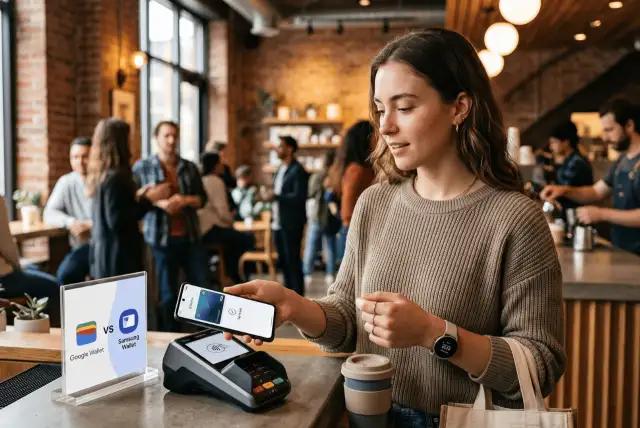
Modern smartphones allow you to pay for groceries, board a flight, or store loyalty rewards with a quick tap of your phone.
If you are stepping into the world of personal finance, adopting digital wallets is one of the easiest ways to keep your transactions organized, secure, and trackable.
For Android users, two major platforms dominate the market: Google Pay (integrated within Google Wallet) and Samsung Wallet (formerly Samsung Pay).
Both options transform your mobile device into a secure digital vault, but subtle differences in device compatibility, ecosystem integration, and user features set them apart.
Choosing the right one comes down to understanding how each platform fits into your daily routine and financial habits.
Device Compatibility and Accessibility
The most significant distinction between these two digital wallets lies in where you can actually use them.
Google Pay boasts universal availability across the Android ecosystem.
Whether you own a Google Pixel, a Motorola, a OnePlus, or a Samsung Galaxy phone, you can download and use Google Pay without restriction. It also syncs across smartwatches running Wear OS.
Samsung Wallet operates as an exclusive feature within the Samsung ecosystem.
It only runs on eligible Samsung Galaxy smartphones and Galaxy smartwatches. If you use any non-Samsung Android phone, Samsung Wallet is simply not an option.
If you value flexibility or plan to switch phone brands in the future, Google Pay provides a continuous experience that stays with you regardless of hardware changes.
How Contactless Payments Work in Practice
Both payment systems rely on Near Field Communication (NFC) technology to execute contactless payments at physical store registers.
When you place your phone near a compatible payment terminal, NFC safely transmits an encrypted token representing your payment details.
Modern checkout terminals widely accept NFC payments, making day-to-day transactions virtually instant for both platforms.
In terms of online shopping and in-app checkouts, Google Pay holds a broader advantage.
Because Google Pay integrates directly into the Google Chrome browser and across millions of Android apps, paying for online purchases often takes just a single click.
Samsung Wallet supports web payments through its proprietary Samsung Internet browser and participating app partners, but its web presence is less widespread compared to Google’s web footprint.
Beyond Payments: Features and Wallet Storage
Digital wallets do much more than hold credit cards—they act as central hubs for your digital life.
Pass Management and Daily Conveniences
Both platforms allow you to store essential digital passes:
- Boarding passes and transit tickets
- Loyalty programs and store gift cards
- Digital car keys for supported vehicle manufacturers
- Digital IDs and event passes
Unique Features of Google Pay
Google Pay excels at seamless ecosystem synchronization.
If you receive a flight confirmation or event ticket in Gmail, Google Pay automatically imports the boarding pass or ticket into your wallet without manual entry.
It also integrates with Google Maps, helping you pull up relevant store loyalty cards automatically when you walk into a location.
Unique Features of Samsung Wallet
Samsung Wallet combines payment capabilities with Samsung Pass, a built-in password manager.
This allows you to log into mobile websites and apps using biometric authentication like fingerprint scanning.
Additionally, Samsung Wallet offers a dedicated rewards structure that lets users earn points on select purchases made through the app, which can later be redeemed for gift cards or partner perks.
Security Protocols: Is Your Financial Data Safe?
Security is often the primary concern for young adults moving away from physical cards. Fortunately, both platforms employ bank-grade security protocols:
- Tokenization: Neither app stores your actual credit card number on your phone or passes it to the merchant. Instead, a randomized sequence of numbers (a token) authorizes the charge. Even if a data breach occurs at a merchant’s terminal, your real card details remain safe.
- Biometric Authentication: Every transaction requires explicit user verification via fingerprint scan, facial recognition, or a secret PIN.
- Remote Lock Down: If your device is lost or stolen, you can instantly lock your device or wipe your stored digital wallet remotely using Google’s Find My Device or Samsung’s Find My Mobile services.
- Hardware Protection: Samsung Wallet adds an additional security layer via Samsung Knox, a hardware-level defense system built directly into Galaxy devices to protect payment data from malware attacks.
Frequently Asked Questions
1. Do I need an internet connection to pay using Google Pay or Samsung Wallet?
No, an active internet or cellular data connection is not required to complete standard tap-to-pay purchases in stores.
Both apps store a limited number of secure payment tokens directly on your device offline.
However, an internet connection is necessary when adding new payment cards, downloading updates, or checking transaction histories.
2. Can I use both Google Pay and Samsung Wallet on the same Samsung phone?
Yes. If you own a Samsung Galaxy smartphone, you can install both applications.
You will simply select one app as your default tap-to-pay service in your phone’s contact payment settings, while still keeping the other app available for digital passes, loyalty cards, or online purchases.
3. What happens if I lose my phone with my digital wallet installed?
Your financial information remains completely secure. A thief cannot complete purchases without passing biometric authentication (fingerprint or face scan) or entering your screen lock PIN.
Additionally, you can log into your account online to lock your phone or wipe stored payment cards remotely using official tracking tools.
4. Are there any hidden fees for using digital payment apps?
No. Both Google Pay and Samsung Wallet are entirely free to download and use.
Neither platform charges consumers extra service fees for in-store tap-to-pay purchases, online checkouts, or card storage.
Your standard credit or debit card rewards and interest rates remain unchanged.
Which Digital Wallet Should You Use?
Comparing Google Pay vs Samsung Wallet reveals that there is no absolute loser, but rather a clear choice based on your hardware and lifestyle preferences:
Choose Google Pay if you want a universal digital wallet that works on any Android phone.
Its tight integration with Google services like Gmail, Chrome autofill, and Assistant makes managing online payments and digital passes virtually effortless.
Choose Samsung Wallet if you are fully invested in the Samsung ecosystem.
If you own a Galaxy phone, Samsung Wallet gives you the added convenience of storing passwords, managing digital keys, and earning native cashback rewards within a single app.
If you own a Samsung Galaxy device, you don’t necessarily have to pick just one—you can keep Google Pay for online checkouts and use Samsung Wallet for in-person transactions and pass storage.
For all other Android users, Google Pay remains the undisputed standard.